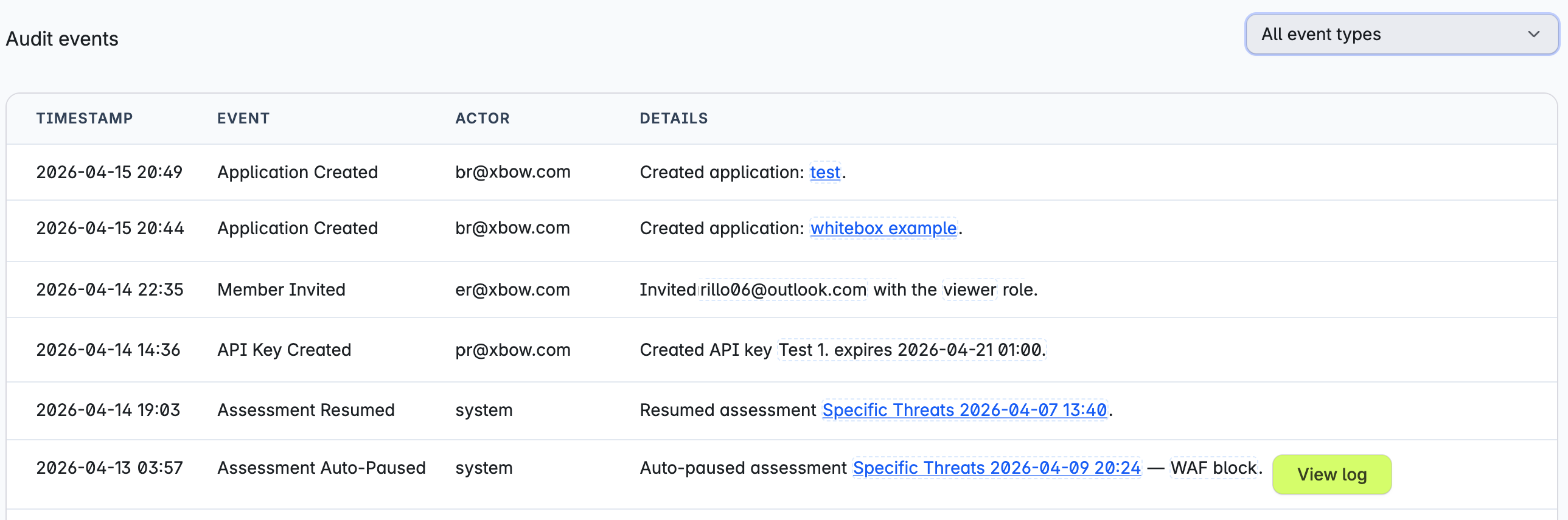
Control access to XBOW
- Enterprise only
Manage user access to XBOW Console by assigning roles that control what each member can see and do.
Prerequisites
You must have the Administrator or Existing Asset Administrator role in your organization.
If you have enabled single sign-on, then you can assign roles to groups in your identity provider. See Provision users automatically.
Change a user role
-
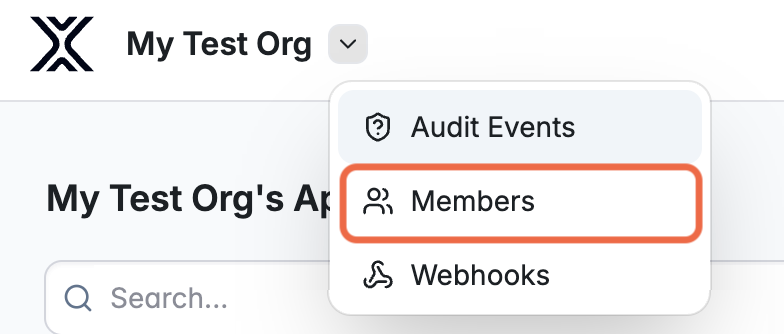
Open the administration menu and select Members.
-
In the list of members, select the user whose role you want to change.
-
Select the new role you want to assign to them. See User roles.
Grant access to use the XBOW API
To use the XBOW API or the XBOW Pentest Analysis agent (part of the Microsoft integration), a user needs the Administrator role. You may need to grant this role to additional users to allow them to set up integrations.
Monitor access and use
Users with the administrator role can view recent events by opening the administration menu and selecting Audit Events. For the full set of events, see Audit events.