Automate XBOW assessments and notifications
- Enterprise only
You can connect XBOW Console to external systems to automate assessment runs, collect findings, and send notifications.
- Public API: run assessments and retrieve findings
- Webhooks: trigger notifications or downstream events
- Jira integration: create Jira work items from findings, and optionally write workflow state back to XBOW
- Microsoft Sentinel integration: run assessments from Microsoft Security Copilot and pull findings into your Log Analytics workspace
Prerequisites
You must have the Administrator role in your organization.
Use the public API
To use the public API, you need to generate a personal access token with administration access. See Accessing the API.
The endpoints available in the API are all listed in the reference document. See Latest version.
Subscribe to a webhook
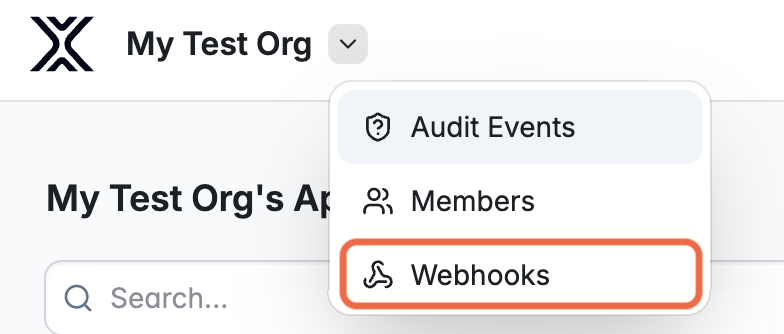
You can subscribe to a webhook event from the administration menu.
-
Open the administration menu and select Webhooks.
-
Define the “Webhook Target URL”.
-
Select the events that you want to trigger a webhook event. For a summary, see Webhooks.
-
Click Create to create the subscription.
Test connectivity
Two ping events are sent automatically when you finish creating the subscription. One ping event is signed with XBOW’s real private key, and the other event is signed with an invalid key.
Use these two events to test your signature validation — one should be accepted and one rejected. You can also send a ping event on demand using the POST /api/v1/webhooks/:webhookId/ping endpoint. For information on signature verification, see Webhooks.
For details of webhook versioning, event payloads, and the endpoints you can use to query webhook subscriptions, see Webhooks.
Integrate XBOW with Jira
For details, see XBOW Integration for Jira.
Integrate XBOW into Microsoft Sentinel
For details, see XBOW integration with Microsoft Security tools.